

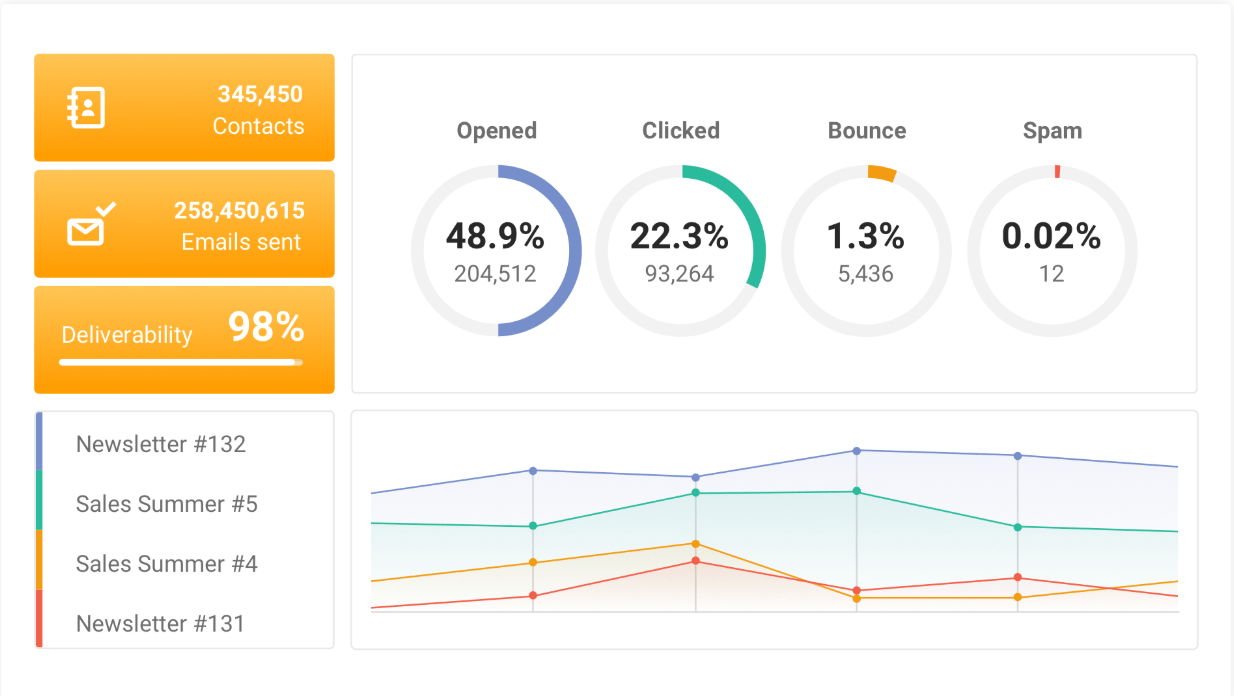
Email Marketing Analytics, one of the most measurable and high-ROI areas of digital marketing.
It helps you track how your audience interacts with your emails so you can improve engagement, conversions, and customer relationships over time.
📧 1. What Is Email Marketing Analytics?
Email marketing analytics is the process of collecting and analyzing data from your email campaigns to understand how recipients engage with your content — and how effectively your emails drive your goals (like sales, sign-ups, or downloads).
In short: Analytics tell you who opened, who clicked, and what worked — so you can do more of it.
📊 2. Key Email Marketing Metrics & What They Mean
| Metric | Description | Why It Matters |
|---|---|---|
| Open Rate | % of recipients who opened your email | Measures subject line effectiveness & audience interest |
| Click-Through Rate (CTR) | % who clicked a link in your email | Shows how engaging your content and CTA are |
| Conversion Rate | % who completed a desired action (purchase, signup, download) | Measures real campaign success |
| Bounce Rate | % of emails not delivered | High rate = poor email list hygiene |
| Unsubscribe Rate | % of users who opt out | Helps monitor content relevance & frequency |
| Spam Complaint Rate | % marking emails as spam | Indicates trust and content quality issues |
| Forward/Share Rate | % who shared your email | Reflects how valuable or interesting your content is |
| List Growth Rate | Rate of subscriber increase | Measures how effectively you’re building your audience |
| Engagement Over Time | Tracks how engagement changes across campaigns | Identifies trends and fatigue |
⚙️ 3. Tools for Email Analytics
- Mailchimp – built-in dashboard for opens, clicks, and audience segmentation
- HubSpot Email Marketing – advanced analytics, A/B testing, and automation tracking
- Klaviyo – great for eCommerce and personalized automation performance
- ConvertKit / Brevo (Sendinblue) – simple but powerful reporting for creators and small businesses
- Google Analytics (GA4) – track website conversions from email traffic
🧠 4. How to Optimize Using Email Analytics
| Goal | What to Analyze | Optimization Tips |
|---|---|---|
| Improve Open Rates | Subject lines, send times, sender name | A/B test subject lines, personalize (use names), send at optimal times |
| Increase CTR | Email design, CTA placement, content relevance | Use clear CTAs, engaging visuals, mobile-friendly layouts |
| Boost Conversions | Landing page performance, offer quality | Align email and landing page messaging, simplify checkout |
| Reduce Unsubscribes | Frequency, content tone, audience segmentation | Segment lists better, adjust frequency, deliver more value |
| Maintain Deliverability | Bounce rate, spam reports | Clean lists, avoid spammy keywords, authenticate domain (SPF, DKIM) |
🔁 5. The Email Optimization Cycle
- Track – Collect campaign data (open, click, and conversion rates).
- Analyze – Identify patterns and weak points.
- Test – Run A/B tests (subject lines, send times, visuals, CTA).
- Refine – Use results to adjust content, design, and strategy.
- Repeat – Continuous improvement across future campaigns.
💡 6. Advanced Email Analytics Techniques
- Heatmaps (e.g., via tools like Crazy Egg or Mailchimp) → See where users click most inside your emails.
- Segmentation analytics → Track performance by audience segment (location, purchase history, engagement level).
- Cohort analysis → See how engagement changes for different subscriber groups over time.
- Attribution tracking → Use UTM tags + Google Analytics to see which emails drive sales or site actions.
- Automation analytics → Measure how automated workflows (welcome, cart recovery, re-engagement) perform vs. bulk emails.
🚀 7. Benefits of Strong Email Analytics
- Higher engagement and ROI
- Better audience understanding
- More personalized and relevant emails
- Improved deliverability and sender reputation
- Smarter marketing decisions based on data